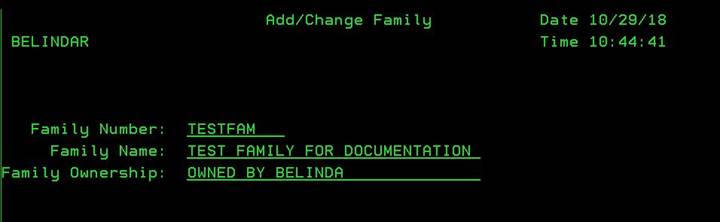
Add Family (ADDFAM)
Can be accessed by:
1.
Menu
5217, F6
2.
Menu
5170, F4 on Vendor Family, F6
This screen will allow you to add a Family Number. Please note, that the Family Number cannot be changed once it is setup. Enter the Family Number, Family Name and Family Ownership information for this Family of Vendors. Press ENTER to save and return to previous screen. You must add new Family Members to the new Vendor Family in the Vendor Maintenance, Menu 5210.