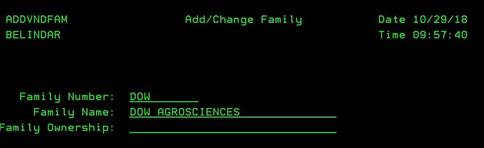
Update/Change
Family (ADDVNDFAM)
Can be accessed by:
1.
Menu
5217, 2
2.
Menu
5170, F4 on Vendor Family, 2
This screen will allow you to change the Family information. You can see the Family Number (or short name code) only. This cannot be changed once setup. You can change the Family Name (full name of family group) and Family Ownership Name. Press ENTER to save your changes.