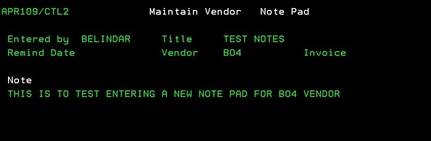
Maintain
Vendor Note Pad (APR109/CTL2)
Can be accessed by:
1.
Menu 3940, F4, P on
selected Vendor, A
2.
Menu 3940, F4, P on
selected Vendor, D, 2
3.
Menu 5170, F4 on
Vendor#, P on selected Vendor, A
4.
Menu 5170, F4 on Vendor#,
P on selected Vendor, D, 2
5.
Menu
5920, F4 on Vendor#, P on selected
Vendor, A
6.
Menu
5920, F4 on Vendor#, P on selected
Vendor, D, 2
This screen will display an existing Note Pad for the selected Vendor or display an empty screen to enter a new Note Pad. If entering a new Note Pad, complete this screen and press ENTER. Otherwise, press F12 or F3 to exit.
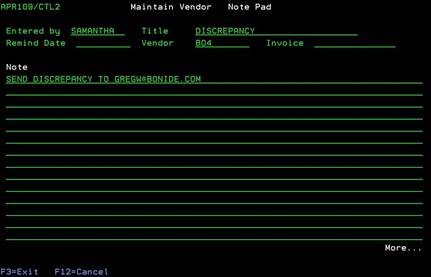
Display Vendor Note
Pad (APR109/CTL2)
Can be accessed by:
1.
Menu 3940, F4, P on
selected Vendor, D, 5
2.
Menu 5170, F4 on
Vendor#, P on selected Vendor, D, 5
3.
Menu 5920,
F4 on Vendor#, P on selected Vendor, D, 5
This screen will display existing Note Pad for the selected
Vendor. This is for display only. Press F3 or F12 to exit this screen.