Accounts Payable Invoice Inquiry (APR120/CTL1)
Can be accessed by:
1.
Menu
5170, 5 on selected invoice
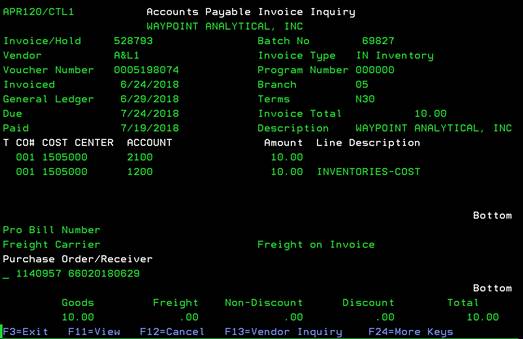
The Accounts Payable Invoice Inquiry screen shows the details of the AP invoice including cost center/account, payment batch, etc. for the selected invoice.
From this screen you can choose: F11-View (toggles PO# and receiver# on screen), F13-Vendor Inquiry, F14-Check Inquiry, F15-Notes Maintenance, F22-Switch Description (toggles word description for the cost center numbers. Press again to see division description and a third time for account name).