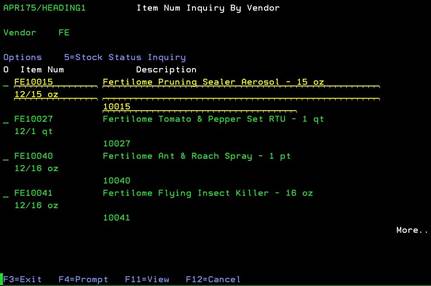
Item Num Inquiry by Vendor (APR175/HEADING1)
Can be accessed by:
1.
Menu 3940,
Vendor# (ENTER)
Once
you enter a Vendor#, the Item listing for that Vendor appears for selection.
From here you can choose: (5)-stock status inquiry or (F11)-View which shows the full
description of each item.
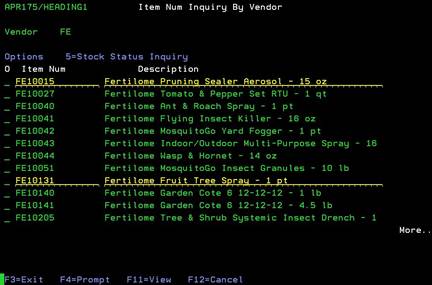
Can be accessed by:
1.
Menu
3940, Vendor# (ENTER), F11
This
screen shows the full description of each item to help assist in choosing the
appropriate item for the stock status inquiry screen. This is a toggle button.
If you press F11 again, you will return to the previous view.