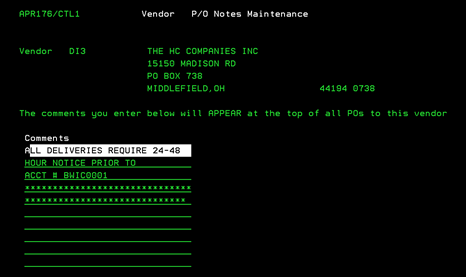
Vendor Notes (APR176/CTL1)
Can be accessed by:
1.
Menu 5230,
Vendor# (ENTER)
Make your desired note entries and press ENTER to save and return to previous screen. If you wish to delete this Vendor PO Note, press F23 to delete. There will be no second warning screen. Your PO Note will be instantly deleted.
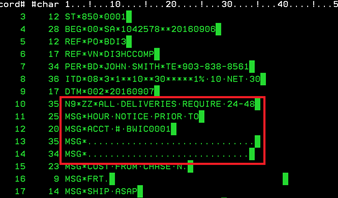
These generic notes will appear first (before any Purchase Order Notes) on all EDI Purchase Order transmissions. Please let your Vendor know that the MSG (Message) section is where all special notes will be placed on EDI orders.