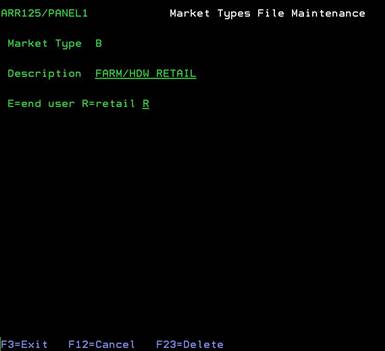
Add new Market Type
(ARR125/PANEL1)
Can be accessed by:
1.
Menu
6250, New code
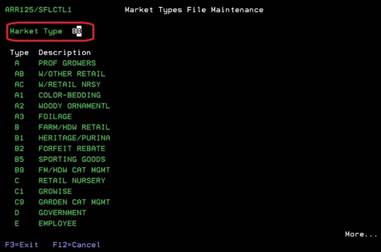
To add a new code, simply enter the new two-character market type code and press ENTER.
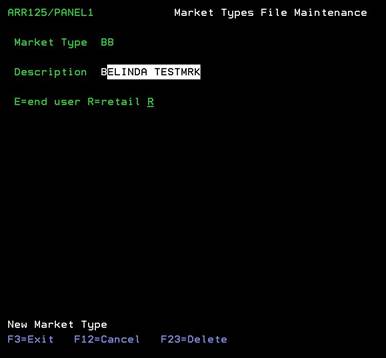
On the next screen, you will see “New Market Type” at the bottom. Enter the market type description and the classification (E=End user or R=Retail) for the new entry. You cannot leave the classification blank. This will keep the EDI 867 sales reports from running correctly for any items in this market type. If you do not know which classification to use, please see your supervisor. Press ENTER to save this new market type. You will be returned to the first screen and the new market type will be displayed.
Edit/Delete
existing Market Type (ARR125/PANEL1)
Can be accessed by:
1.
Menu
6250, Existing code
To edit an existing code, simply enter the existing two-character market type code and press ENTER. The existing code will appear on the second screen for you to change the description or classification. Change the data necessary and press ENTER to save. You will be returned to the first screen and the changes will be displayed.
To delete this existing code, press F23. This will automatically delete the existing code displayed here. There is no “second chance” to confirm this deletion. It will be deleted instantly. When you press ENTER, you will be returned to the first screen and the changes will be displayed.