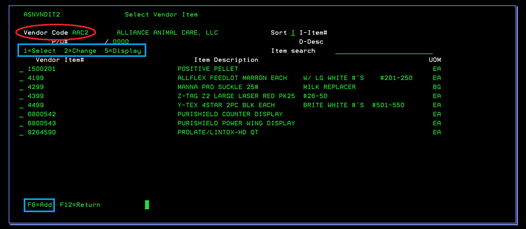
Select Vendor “=” Item (ASNVNDIT2)
This screen displays all “=” items for the selected Vendor. You can search the items by part# or by description. To select the item you wish, use 1-Select and press ENTER. See Menu 3185 for more information about the Change and Add options for this program.