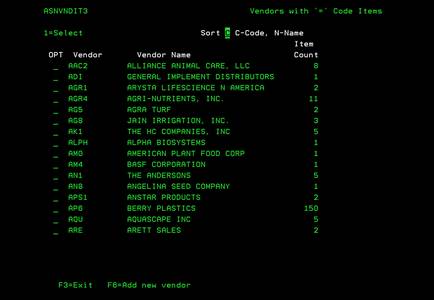
Vendors with “=” Code items (ASNVNDIT3)
Can be accessed by:
2.
Menu 4110
in ITEM NUM lookup
In order to correctly enter Vendor Part #s for non-stocked items, we have developed a special file to maintain these “=” code, non-stock, direct ship items. Please make sure you have the correct Vendor Part # from their product list before using these features. Do not make your “best guess”. If we transmit the wrong item codes to our vendors, we receive invalid items or delayed orders.
The Vendor “=” Item screen is shown below. From here, you can select:
(1)-select a vendor or (F6)-add new vendor.
The Vendor must already be setup in Menu 5210 to be able to add them to this file. You can sort this
Vendor list by Vendor Code or by Vendor Name. Pressing the Page Down key will
allow you to see the entire list.