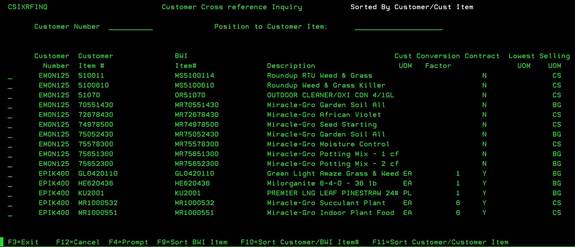
Customer Item Cross Reference Inquiry (CSIXRFINQ)
Can be accessed by:
This screen will list all items setup in the Cross Reference file for EDI Customers to send/receive orders. This screen is for display only. If you need to add items to this file, see Menu 1715. From here you can choose: F4 on customer number (SLCUSTOMER), F9- Sort BWI item, F10-sort customer/BWI item, F11-sort customer/customer item. If you want to search for a particular customer & BWI item #, enter that information in the two fields at the top of the screen to search.
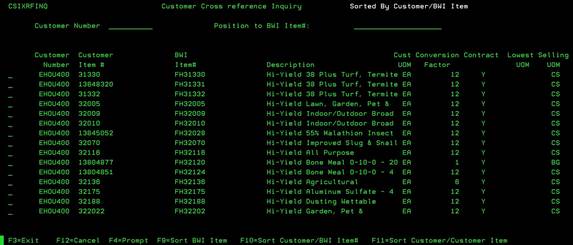
Sort BWI Item (CSIXRFINQ)
Can be accessed by:
1.
Menu
1712, F9
This will sort the Cross reference file by the BWI item number. You can see how many customers have this item setup. You can use PAGE DOWN to view the entire list.
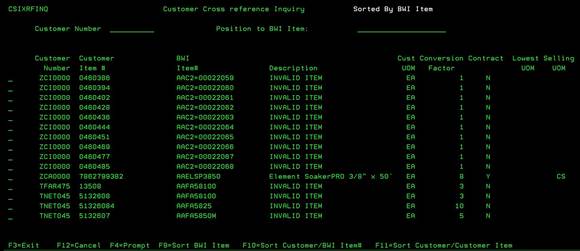
Sort
Customer/BWI Item (CSIXRFINQ)
Can be accessed by:
1.
Menu
1712, F10
This will sort the Cross reference file first by the Customer Number and then by BWI item number. This will show each customer separately and list the items in BWI Item number order. You can use PAGE DOWN to view the entire list.
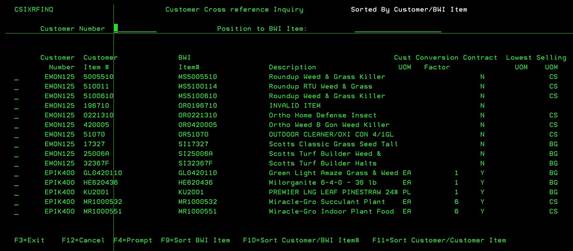
Sort Customer/Customer Item (CSIXRFINQ)
Can be accessed by:
1.
Menu
1712, F11
This will sort the Cross reference file first by the Customer Number and then by Customer item number. This will show each customer separately and list the items in Customer Item number order. You can use PAGE DOWN to view the entire list.