Customer
Contact (CSTCONTACT)
Can be accessed by:
1.
Menu
6210, 5, 1 on Contact Information
2.
Menu
6640, OwnerDT Shortcut
3.
Menu
6920, Option 20
From
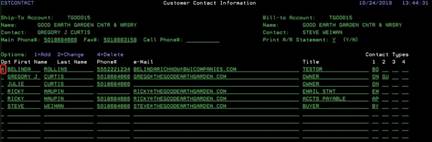
here you can view, add,
change or delete contacts for this
customer account.
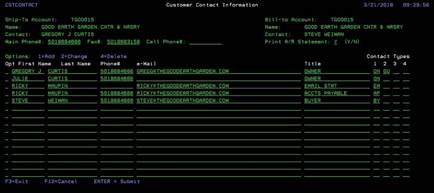
To add a new contact
Enter
a “1” in the OPTION field and proceed to enter the data across the columns. Use
the F4
lookup function to pick the appropriate TYPE for this contact. A single contact
can have up to 4 different contact TYPES. Press the ENTER key when finished
entering the new contact information.
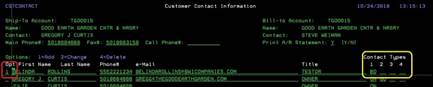
To change a contact
Enter
a “2” in the OPTION field and proceed to change the necessary data. Use the F4 lookup
function to pick the appropriate TYPE(s) for this contact. Press the ENTER key
when finished changing the contact information.
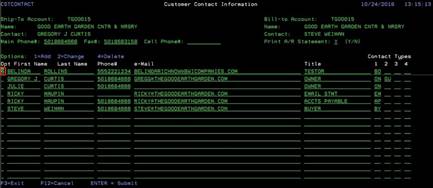
To delete a contact
Enter
a “4” in the OPTION field and press the ENTER key. Your contact will be
immediately deleted.
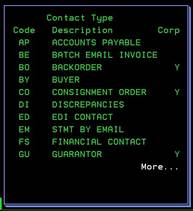
F4-contact type lookup
This
will list all the different codes for contact type. Each individual contact can
have up to 4 types if necessary. Choose from the codes available and enter on
the previous screen.