Accounts
Payable Freight Invoices (E210BL)
Can be accessed by:
1.
Menu 1605,
option 8
While
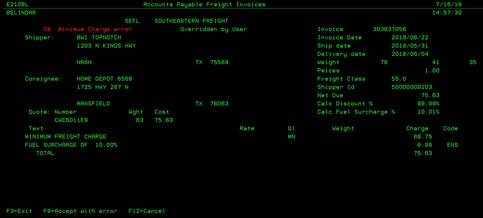
on the AP Freight Invoice screen, you can enter a “8” on any specific order to
view the details and error message for this specific freight invoice. This screen will display the invoice error
message in RED in the upper left side of the screen. You can choose: (F3)-Exit
screen, (F8)-Approve invoice with errors or (F12)-Cancel. If you press F8 to
approve, this invoice will show up on accounts payable list to be paid.