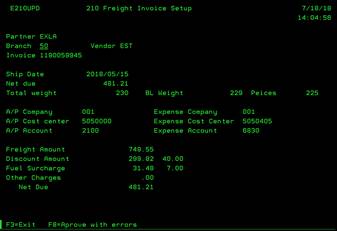
210 Freight
Invoices Setup (E210UPD)
Can be accessed by:
1.
Menu 1605,
option 2
While
on the Freight Invoice screen, you can enter a “2” on any specific order to
change that order. Once you enter the screen, you can choose: (F3)-Exit screen,
or (F8)-Approve invoice with errors. If you press F8 to approve, this invoice
will show up on accounts payable list to be paid.