Email Statement (ECUSTOMERB)
Can be accessed by:
1.
Menu 6640,
F10, F8, F8
This
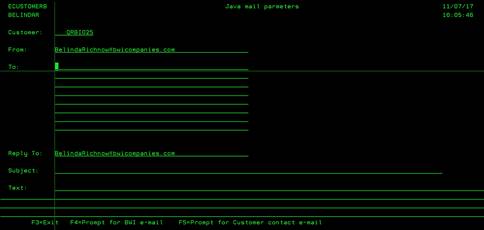
option will email the current statement by email. You can select
multiple emails to send this statement for delivery. Once you enter all the
emails for delivery (one email per line) , press ENTER. You will see a last
screen showing that the email was sent. Press ENTER to return to the previous
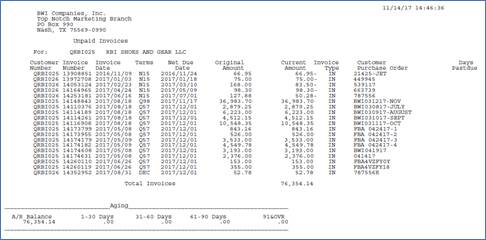
screen. A sample of the email attachment is shown below.
ECUSTOMERB
Printout