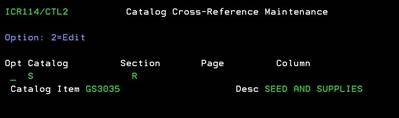
Item Catalog Information (ICR114/CTL2)
Can be accessed by:
1.
Menu
1910, ‘H’ on a particular line item, F10, F16, F6
2.
Menu
1930, 5 on a particular invoice, ‘H’ on a particular
line item, F10, F16, F6
3.
Menu 3120, F6
4.
Menu
3924, option 7, F16, F6
5.
Menu
3924, option 5, F6, option 5, option H, F10, F16, F6
6.
Menu 3930, F16, F6
7.
Menu
6640, Enter, F2, F5, F5, ‘H’ on a particular line
item, F10, F16, F6
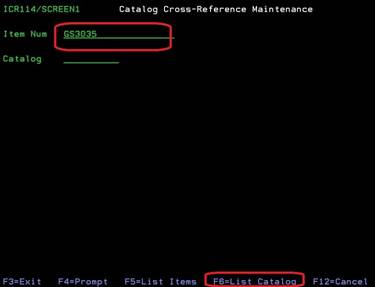
If you enter the item# you
are inquiring about and press F6, you will see the Catalog Code, if it exists
in the system. From here you can choose:
F11-view catalog
(toggles display to show more information) or F12 to cancel.
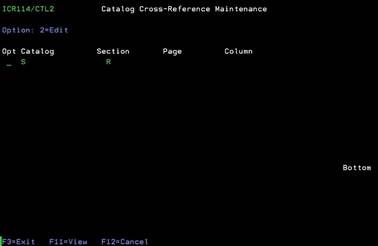
Item Catalog Information-View (ICR114/CTL2)
Can be accessed by:
1.
Menu
1910, ‘H’ on a particular line item, F10, F16, F6, F11
2.
Menu
1930, 5 on a particular invoice, ‘H’ on a particular
line item, F10, F16, F6, F11
3.
Menu 3120, F6, F11
4.
Menu
3924, option 7, F16, F6, F11
5.
Menu
3924, option 5, F6, option 5, option H, F10, F16, F6, F11
6.
Menu 3930, F16, F6, F11
7.
Menu
6640, Enter, F2, F5, F5, ‘H’ on a particular line
item, F10, F16, F6, F11
If press F11 from the
Catalog Information screen, you can view the catalog item# and the catalog
description. Press F11 to toggle back to previous screen or F12 to exit.