Item Num
History Inquiry by Units (ICR203)
1.
Menu 3910, F2
2.
Menu 3924, option 5, F2
3.
Menu 3990
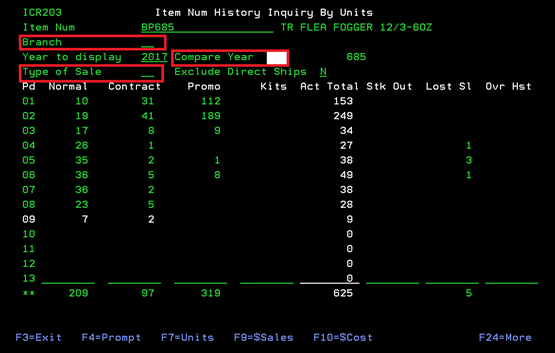
This
screen will show you the number of units sold for a single item# during the
current year according to month. It also lists how many were sold on contract,
promotions or lost saled. You can change this report by Branch# and Type of
Sale. You can also enter a YEAR in the
“Compare Year” field to see the difference in sales quantities, costs, etc.,
from a previous year.
From
this screen, you can use the following Function Keys to view more data (Most
require data in Compare Year field): F4-Prompt on Item# or Branch fields, F7-Unit
totals, F9-Sales dollar totals, F10-Cost dollar totals, F11-View, F13-Prior
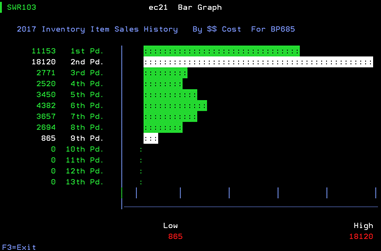
Item, F14-Next Item, F15-Graph,
F16-Actual Difference and F17- %Change. These options change the existing
screen to show the chosen details for the chosen item#.
(Graph Sample-SWR103)