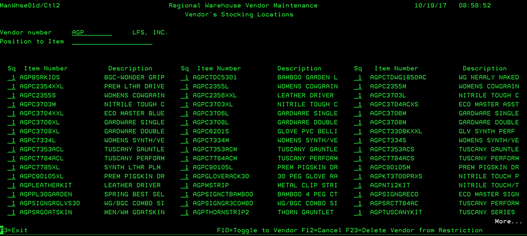
Toggle to Item (MANWHSE01D/CTL2)
Can be accessed by:
1. Menu
3113, option 2, F9
2.
Menu 3910, F16, F9
3.
Menu 3924, option 5, F16, F9
This
is the second screen of the Regional Warehouse option. This display shows all
of the vendor items that are set up in the Regional Warehouse system. From here you can choose: (F10)-toggle to
vendor (back to first screen), or (F23)-Delete Vendor from Restriction. Using
F23 will make immediate changes to the Regional Warehouse setup system.