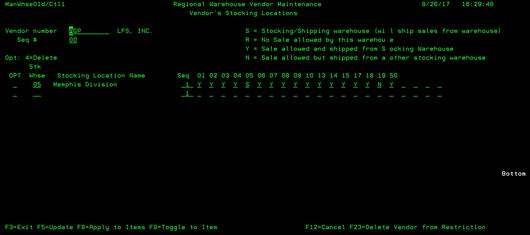
Regional Warehouse (MANWHSE01D/CTL1)
Can be accessed by:
1.
Menu 3113, option 2
2.
Menu 3910, F16
3.
Menu 3924, option 5, F16
This
display tells you if there is a designated Mandatory Warehouse that
specifically stocks and ships this item. From this screen you can choose:
(4)-Delete this Warehouse Setup, (F5)-Update with Changes Made, (F8)-Apply to
Items, (F9)-Toggle to Items (displays all items for this Vendor), and
(F23)-Delete Vendor from Restriction. Using any of these options will make
immediate changes to the Regional Warehouse setup system.