WMS
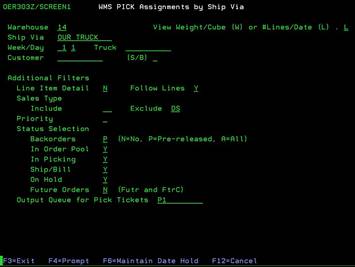
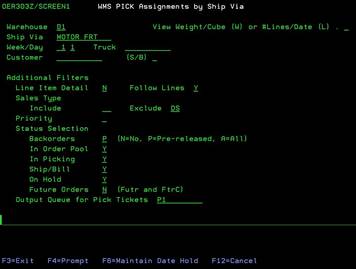
PICK assignments by Ship Via (OER303Z/SCREEN1)
Can be
accessed by:
1.
Menu 1506
On this menu option, you can sort open orders by ship via and change status to: picking, on hold, etc. If picking just UPS shipments, an easier option might be Menu 1509 - WMS Pick Assignments by Ship Via UPS. This option shows all the UPS shipments regardless of Ship Via type (i.e. no charge, third party billing, ground, 3 day, etc.). If picking orders for the OUR TRUCK shipments, you can also use Menu 1512 - Release Based on Delivery Schedule. It is important that any order that is being sent by Motor Freight Carrier is listed as MOTOR FRT for the Ship Via on the order. Do not list “OUR TRUCK” or “BWx” in the Ship Via/Truck field when a Motor Freight Carrier is involved.
Most users only access a few fields on this filter screen: Warehouse, Ship Via, Truck and On Hold. These options can vary by warehouse location The Warehouse number field should be pre-filled by your location. Ship Via is sorted by: OUR TRUCK, PICKUP, FDX, UPS, MOTOR FRT, etc. You can press F4 for the Ship via lookup (See SWR1009) to show all available options. Some transportation personnel will change the ‘On Hold’ flag to ‘N’ because they only want to see orders that are ready to pick. This could also be true for backorders and/or future orders. Again, these options can vary from one warehouse to another.