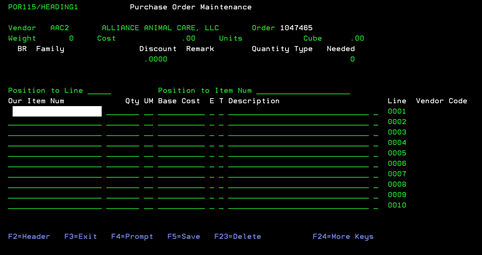
Purchase Order -2nd screen (POR115/HEADING1)
After completing the information on the first screen and pressing F5, you will be on the Purchase Order Item screen. This is where items are inputted for this Purchase Order.
TO BE COMPLETED
To Enter New “=” Item from Purchase Order Entry
This is where you can access the “=” file for direct ship, non-stock items.
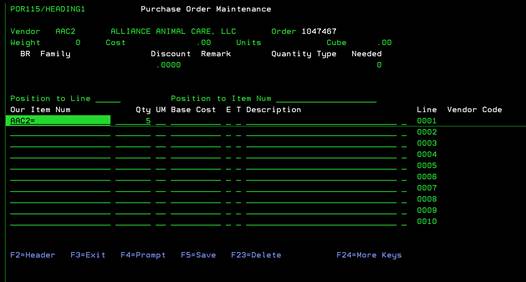
On the ITEM NUM field, enter the Vendor’s Code and the “=” sign only. Enter the Qty that you want to order and press ENTER.
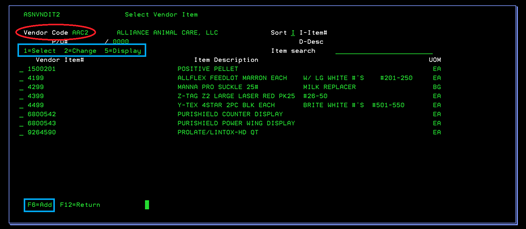
This will take you to the Vendor Item Select screen (ASNVNDIT2). See Menu 3185 for more information about the Change and Add options for this program.