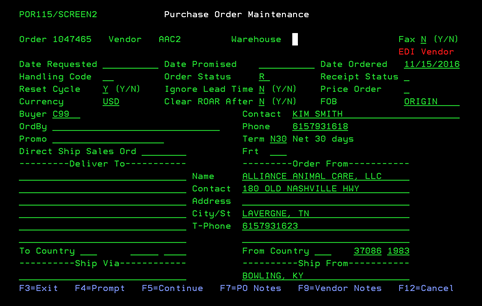
Purchase Order Maintenance (POR115/SCREEN2)
Can be accessed by:
1.
Menu 4110
This section is under construction.
Once you enter the Purchase Order Maintenance screen, you will notice if this is an EDI Vendor by the Blinking RED “EDI VENDOR” in the upper right-hand portion of the screen as shown below. If this is an EDI Vendor, all orders will be sent via EDI. You do not need to Email/Fax this order to the Vendor. Once this order is completed & printed, it will be scheduled for EDI send. No changes can be made to an EDI Purchase Order once it has been printed. See Vendor EDI information for Buyers for more details. From here you can choose: F4-prompt (on Vendor# and Warehouse#), F5-continue, F7-PO notes, or F9-Vendor Notes.