Open PO’s EDI Status overview
– Menu option 4158
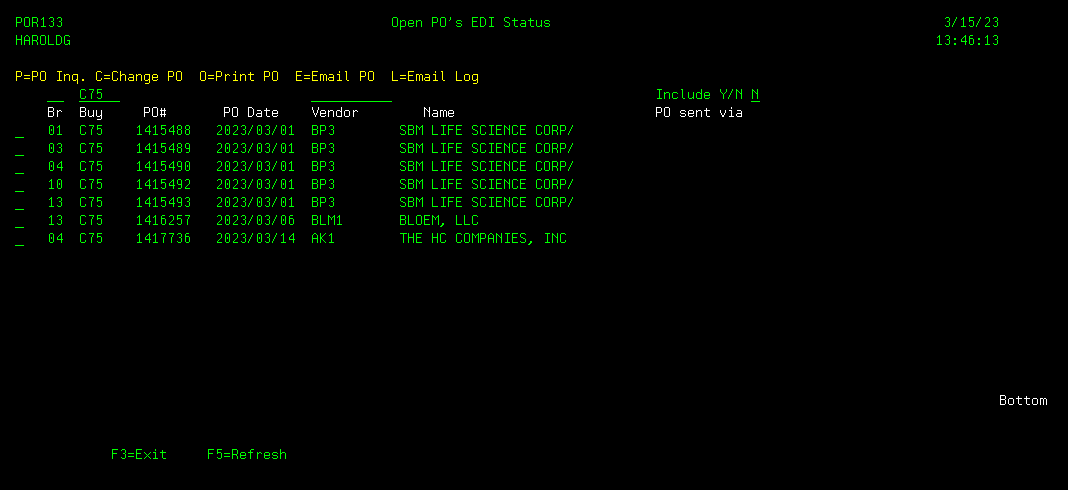
The Open PO’s EDI Status screen displays
every Open ( un-received), non-Direct Ship Purchase Order and indicates whether
or not the Purchase Order has been sent to the requested vendor. The initial screen will display any open and
un-sent Purchase Orders for the requesting user’s buyer code.
You can limit the Purchase Orders display
by entering a specific Branch above the BR column, or specific Vendor above
the Vendor column.
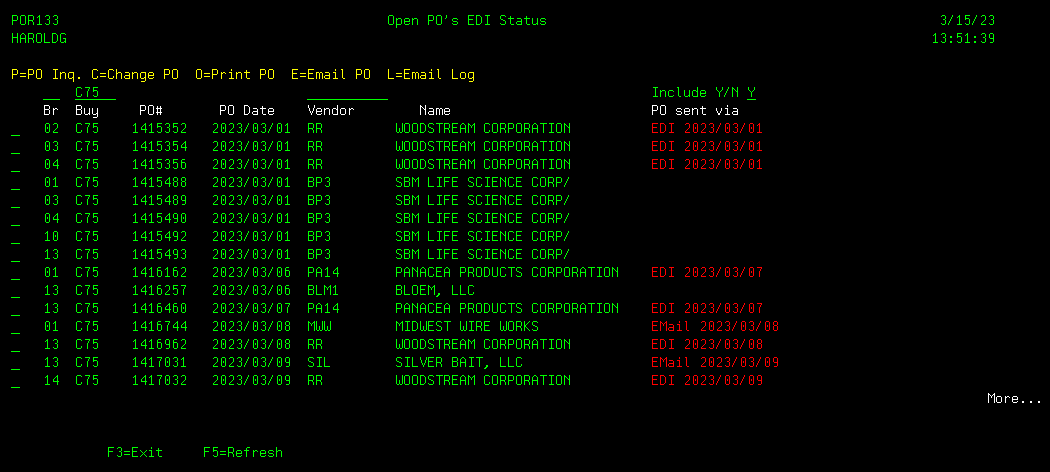
If you wish to see all open Purchase
Orders, including those already sent to the vendor, change the Include Y/N
selection field to “Y”. This will
include the Purchase Orders already sent to the vendor and how and when it was
sent.
From the Purchase Order browse screen,
you have the options to:
P - View the Purchase Order (calls
menu option 4910)
C - Change the Purchase Order (calls menu
option 4110)
O – Print the Purchase Order (calls menu option
4140)
E – Email the Purchase Order (calls menu option
4145)
L – View the Email Log for the Purchase Order
(calls menu option 4146)
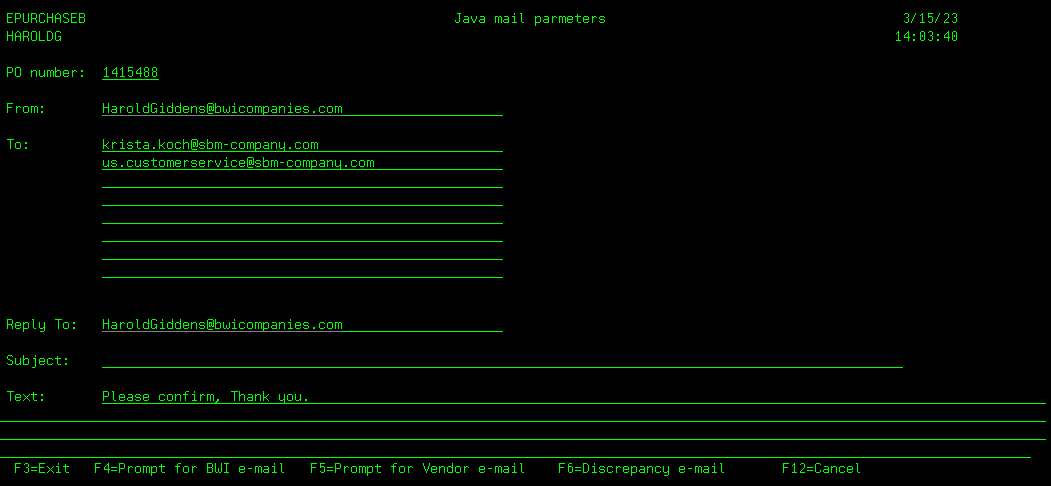
If option E is selected, the Purchase
Order E-mail creation screen will display, with the vendor’s Email addresses
for any vendor contact of type ‘PO’.
If this the first time this Purchase
Order has been sent, the Text will read “Please confirm, Thank you”. If the Purchase Order has already been sent
to the vendor, this Email Text will read “Please confirm, Revised order, Thank
you.”
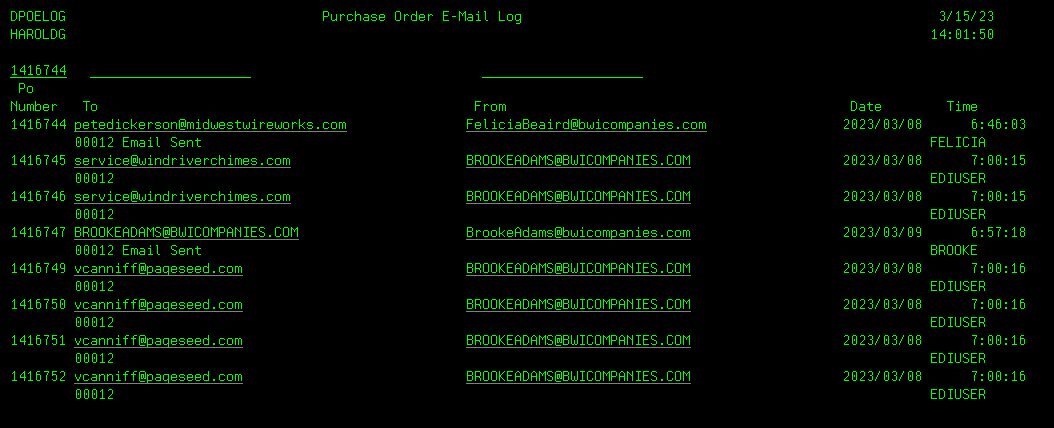
If option L is selected, the Purchase
Order E-mail Log will display, beginning with the requested Purchase Order.