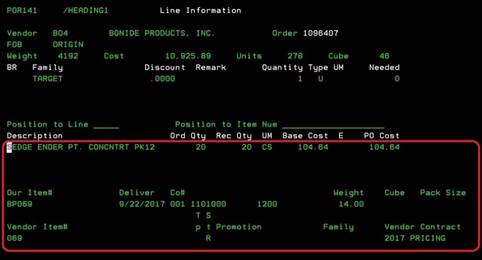
Purchase order line information (POR141/HEADING1)
Can be accessed by:
1.
Menu 4910, ENTER
2.
Menu 3924, option 5,
F6, option 5, option H, F10, F5, option 5, ENTER
3.
Menu 6640, Enter,
F2, F5, F5, ‘H’ on a particular line item, F10, F5,
‘5’, ENTER
4.
Menu 1910, ‘H’ on a particular line item, F10, F5, ‘5’, ENTER
5.
Menu 1930, 5 on a particular invoice, ‘H’ on a particular line item, F10, F5,
‘5’, ENTER
This
will display the second screen for purchase order inquiry. This will list each
of the line items for this particular purchase order. Pressing (F11) will expand the details
of each line item for viewing.
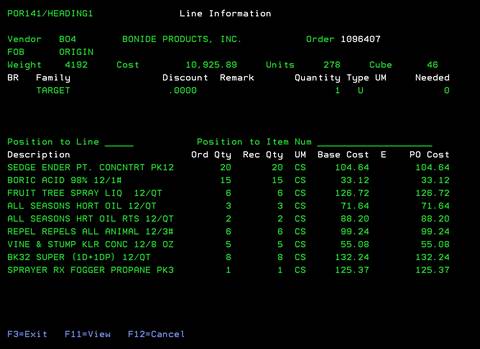
F11-View
This is a display only toggle to show more details
about the line items on a purchase order. Pressing F11 again will return to the
previous screen view.