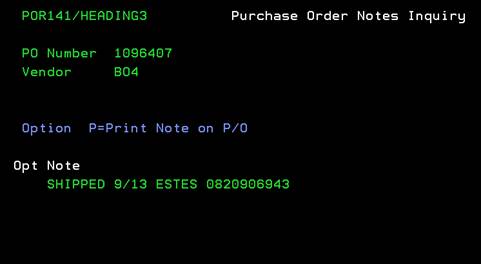
Purchase order
notes inquiry (POR141/HEADING3)
Can be accessed by:
1.
Menu
1910, ‘H’ on a particular line item, F10, F5, ‘5’, F7
2.
Menu
1930, 5 on a particular invoice, ‘H’ on a particular
line item, F10, F5, ‘5’, F7
3.
Menu 3924,
option 5, F6, option 5, option H, F10, F5, option 5, ENTER, F7
4.
Menu
4910, ENTER, F7
5.
Menu
6640, Enter, F2, F5, F5, ‘H’ on a particular line
item, F10, F5, ‘5’, F7
This
option will display the Purchase Order Notes for a particular Purchase Order.
This is a view only. Press ENTER or F12 to exit this screen. If you need to
change these notes, see Menu 4110.