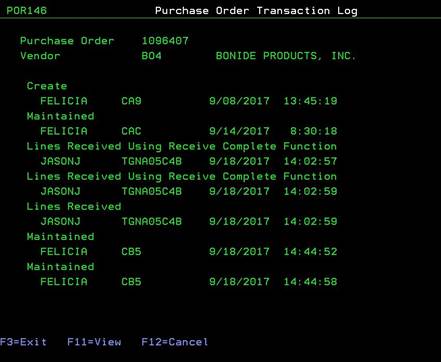
Purchase Order Transaction Log (POR146)
Can be accessed by:
1.
Menu
1910, ‘H’ on a particular line item, F10, F5, ‘5’, F9
2.
Menu
1930, 5 on a particular invoice, ‘H’ on a particular
line item, F10, F5, ‘5’, F9
3.
Menu
3924, option 5, F6, option 5, option H, F10, F5, option 5, ENTER, F9
4.
Menu
4910, ENTER, F9
5.
Menu
6640, Enter, F2, F5, F5, ‘H’ on a particular line
item, F10, F5, ‘5’, F9
This
option will display the transaction log for this particular purchase order.
Pressing F11
will give an expanded view, showing date/time/operator for each transaction.
This is a display only screen. Pressing F3 or F12 will return you to the
previous screen.
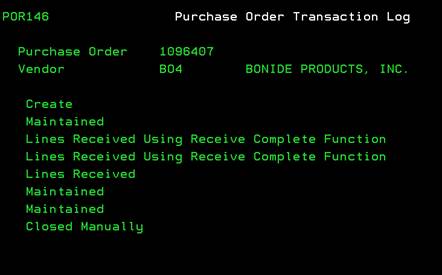
Purchase Order Transaction Log-Expanded (F11-View)
Can be accessed by:
1.
Menu
1910, ‘H’ on a particular line item, F10, F5, ‘5’, F9,
F11
2.
Menu
1930, 5 on a particular invoice, ‘H’ on a particular
line item, F10, F5, ‘5’, F9, F11
3.
Menu
3924, option 5, F6, option 5, option H, F10, F5, option 5, ENTER, F9, F11
4.
Menu 4910,
ENTER, F9, F11
5.
Menu
6640, Enter, F2, F5, F5, ‘H’ on a particular line
item, F10, F5, ‘5’, F9, F11
This option will expand the current display and show
dates, time and user involved with each PO Transaction for this particular
Purchase Order. This is a toggle view. Pressing F11 again will return to the
previous view. F3 or F12 will return to your previous screen.