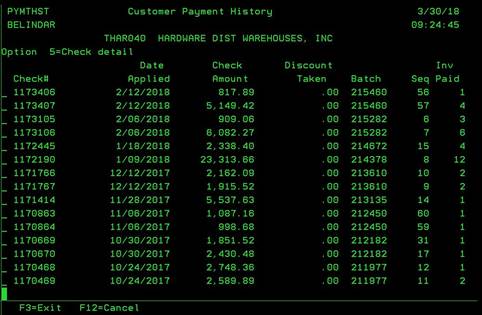
Customer Payment History (PYMTHST)
Can be accessed by:
1.
Menu
6640, PMT Shortcut
2.
Menu
6645, 7
This
shows all payments made by the customer. From here you can enter “5” on any given
payment to view more details about the selected payment. Pressing F3 or F12
will exit this screen.