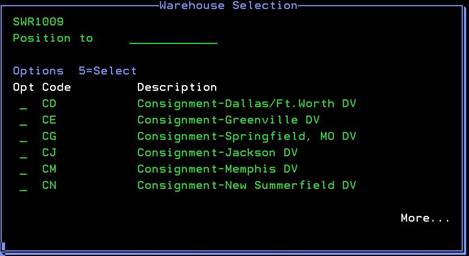
Warehouse Selection Popup (SWR1009)
Can be accessed by:
1.
Menu 3910, F2, F4 in Branch field
2.
Menu 3924, option 5, F2, F4 in Branch field
3.
Menu 3990, F4 in Branch field
Pressing
F4 while on the BRANCH field will bring you to the Warehouse Selection Popup
screen. You can either press PAGE DOWN to scroll through the available options
or you can enter a starting branch code in the POSITION TO field. Once you find the branch you need, enter a
“5” to select. You will be returned to the previous screen with the Branch code
carried over.