Miscellaneous Pay Entry - Menu Option 56150
Human Resources/Payroll requested that if Miscellaneous Pay is entered for a driver through menu option 56150 an explanation/reason also be noted.
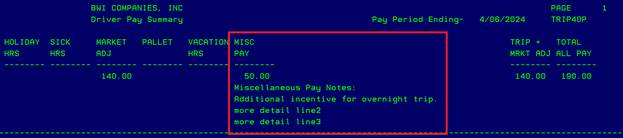
This explanation will print on the Drivers Pay Summary Report (menu option 56155)
Example:
A value of $50 for Miscellaneous Pay is added through 56150…
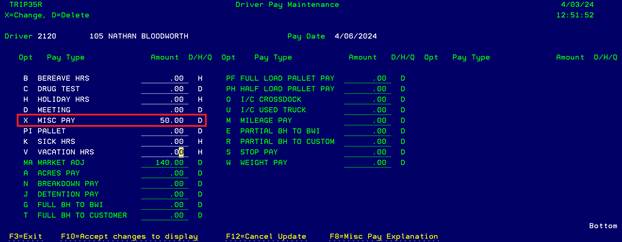
When you hit F10 to accept changes you will be taken to another screen where you will be required to enter an explanation.
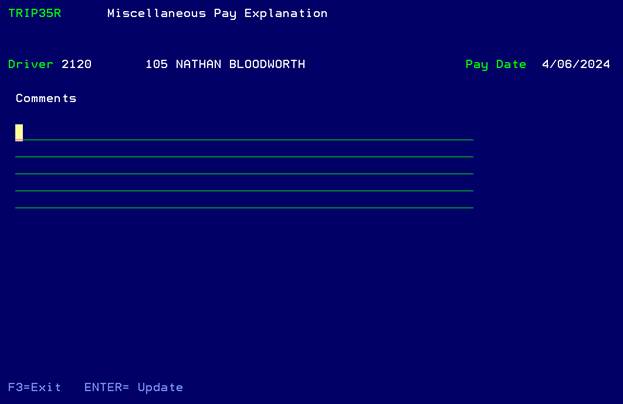
*You must add notes, if you hit ENTER without doing so an error message will appear at the bottom of the screen.

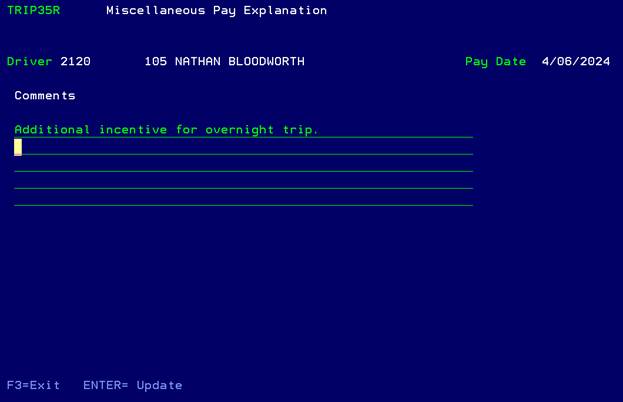
Add notes and hit ENTER to save
.
If you need to go back to the notes screen to modify what was originally entered, you can hit F8 through menu option 56150. (F8 will only work if notes already exist for this driver and pay period.)
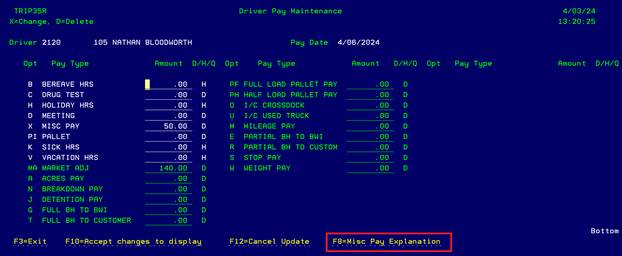
Make any desired changes…
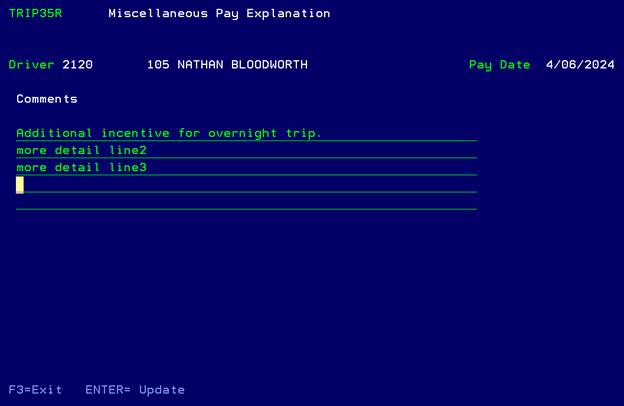
Hit ENTER to save.
Changes
to the Miscellaneous Pay dollar amount:
If you change the Miscellaneous Pay dollar amount you will be taken to the notes screen automatically. If you wish, you can make any additional comments. Hit ENTER to save or F3 to exit.
Removal
of Miscellaneous Pay dollar amount:
Another function of this new process is If you zero out the Miscellaneous Pay dollar amount for the driver through menu option 56150, the notes will no longer be required and any old notes will be deleted.
Reporting:
Notes will be printed on the Driver Pay Summary report (56155).