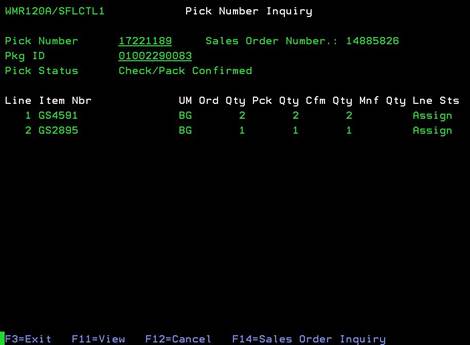
Pick Number Inquiry (WMR120A/SFLCTL1)
Can be accessed by:
1.
Menu 27,
F4, 5, ENTER, P, A
2.
Menu 27,
Shipment#, ENTER, P, A
3.
Menu 28,
Shipment#, ENTER, P, A
Placing a “A” beside an order will bring up the Pick Number Inquiry screen. This shows the quantities picked and scanned for this order. From here you can choose: F11-View (toggles for item description), & F14-sales order inquiry.