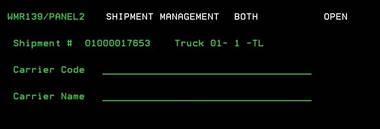
Open Shipments –Select (WMR139/PANEL2)
Can be accessed by:
1.
Menu 27,
F4, 5
2.
Menu 27, Enter
Shipment#
Once you have selected a shipment from the F4 lookup or manually entered a shipment#, you come to the first screen of Open Item Shipment Management. On this screen, you can enter Carrier Code and Carrier Name fields. These fields can be used to capture important operational information. For example, you can enter the names of the personnel responsible for the Order filling, consolidation and scan on board of the order for tracking purposes. These are informational only and not included anywhere else. Once you have entered your data, press ENTER to continue.