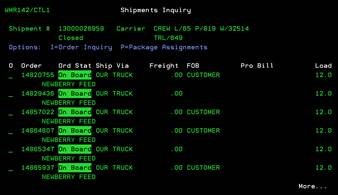
Shipments Inquiry (WMR142/CTL1)
Can be accessed by:
1.
Menu 28, F4, 5
2.
Menu 28, Enter
search criteria
This screen will list the shipment details of the chosen shipment. This displays the LIVE status of the shipment. The order status is updated according to the step in the warehouse picking/shipping process. Items displayed on the initial screen include: Order#, Order Status, Ship Via, Freight Amt, FOB, Probill# and Load sequence. From this screen you can choose: (I)-order inquiry Menu 1910 or (P)-package assignments OER325.
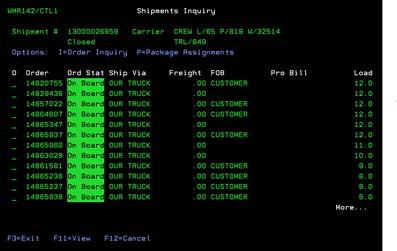
If you press the F11-View button, the screen will display a second line showing the customer name.