A/R Item Inquiry by Customer (ARR108/CTL1)
Can be accessed by:
1.
Menu 6640, F2
2.
Menu 6640, LST Inv
shortcut
3.
Menu 6940
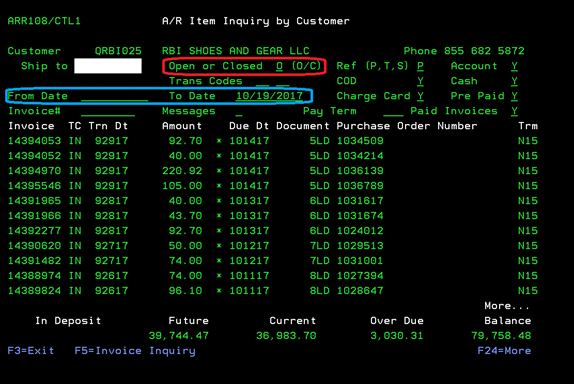
This
screen will show all invoices for this particular customer. It defaults to show
open invoices, but you can also view the closed invoices as well. You can also
choose a date range to view the invoices for this customer. You can choose:
(F5) Invoice Inquiry, (F9) Credit Inquiry-no longer available, use Menu 6640
instead, (F13) -Add Invoice Notes, when cursor is on selected invoice (on
screen display), (F20) -Totals Off/On (on screen display to show or remove
future, current, overdue totals at bottom of screen).
Add Invoice
Notes
Can be accessed by:
1.
Menu 6640, F2, F13
2.
Menu 6640, LST Inv
shortcut, F13
3.
Menu 6940. F13
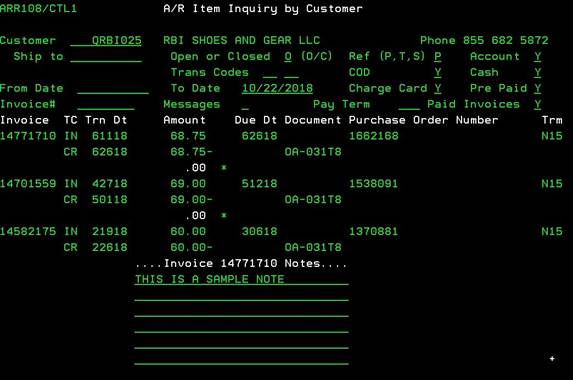
This
will enable a pop up section to appear on you’re A/R Item Inquiry by Customer
screen. You can enter notes about this
invoice directly on this pop up box. Press F3 to exit without saving or ENTER
to save the notes you entered.