Suggested Minimum /
Maximum Inventory Quantities Generation
The Suggested Minimum / Maximum Inventory
Quantities process helps the warehouse inventory manager to determine and
update the optimal inventory levels for required items at their location.
The suggested quantities are
determined based on the sales history of each item at the requested
warehouse.
The suggested Maximum quantity would be the
greater of the following two numbers based on sales for this location only:
Previous x months sales history divided by y.
Previous years history for the upcoming x
months sales history divided by y.
Where x equals the pre-determined number of months to include for this
branch,
and y equals the number of
months to divide the total quantity by for this branch.
The suggested Minimum quantity would be equal
to x% of the Suggested Maximum quantity.
Where x is the ratio of the minimum quantity to the maximum quantity for
this branch.
Menu option 4388 – Create spreadsheet of
Suggested Minimum / Maximum quantities.
Menu option 4388 will allow you to
create a spreadsheet of inventory items at your location that may need minimum
and maximum quantities established.
Take option 4388 and the Request
screen will display. Enter the location
code that you wish to create the suggestion file for and press ENTER. Or press F12 to cancel the request.
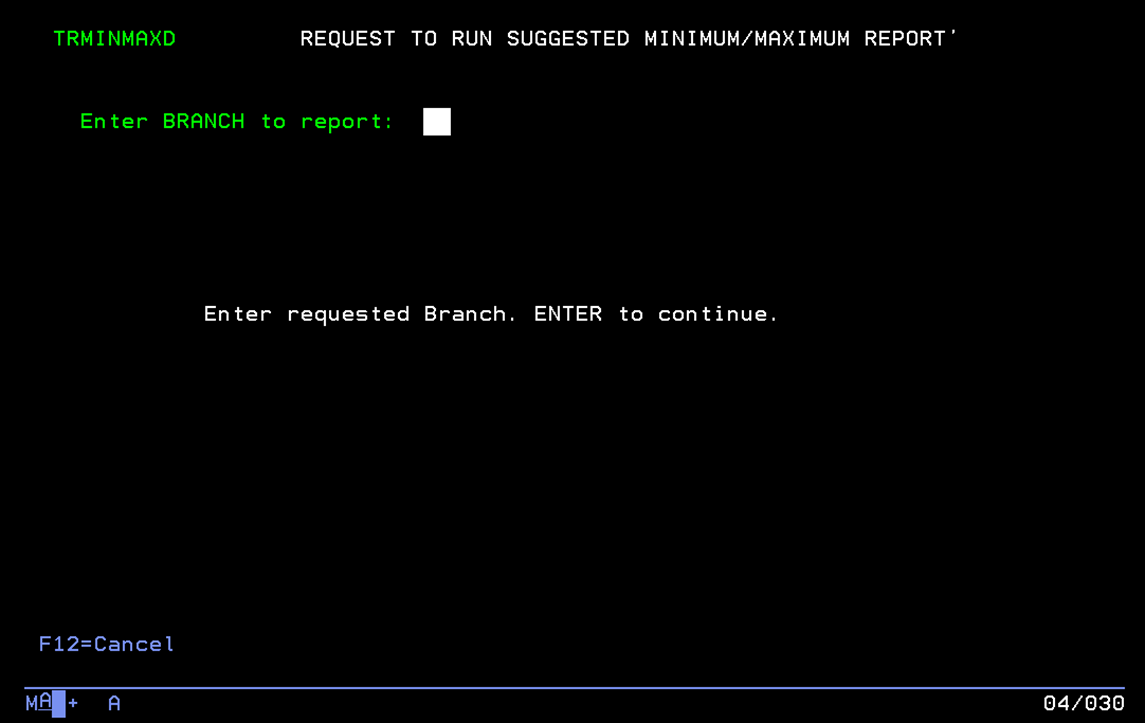
After you press ENTER, the suggested
quantities are calculated and put in an EXCEL spreadsheet file. The spreadsheet file will be sent via Email
to your Inbox with the subject line “Suggested Minimum/Maximum inventory spreadsheet
file”.
NOTE:
The spreadsheet file will be sent as a .CSV file. After any changes are made to the
spreadsheet, it should be saved as a .CSV file, because that is the only
spreadsheet format the AS400 will recognize.
This is the format of the downloaded
spreadsheet file:

When making changes to the
spreadsheet data, the “Suggested Maximum” and “Suggested Minimum” columns are
the data that is updated to the AS400 database.
All other data is informational only.
The minimum and maximum quantities
can be changed if the suggestions are not reasonable. If the minimum and maximum quantities for an
item should not be changed, delete the row from the spreadsheet.
An item can be added to the
spreadsheet to update the minimum and maximum quantities, but the added row
must have a valid Branch, Item number, and Item Class.
When the minimum and maximum
quantities for an item are updated the program will set the “Date On Manual” in
the AS400 database to the date it is updated, and the “Date Off Manual” will be
set to the update date plus 6 months.
When all changes and deletions are
complete to the suggestions spreadsheet, save it to your local drive as a .CSV
file. Then Email the file to the
appropriate purchasing user to upload the the AS400.